
Shopify Is Powerful. But It Isn't the Right Fit for Every Business.
Shopify makes launching an online store remarkably easy.
You can choose a theme, add your products, connect your payment methods, and start selling without worrying about servers, security updates, or most of the technical maintenance that comes with running an e-commerce platform yourself.
That simplicity is one of Shopify’s biggest strengths. It’s one of the reasons millions of businesses use it to sell online.
But there is a trade-off.
As your business grows, you may eventually need things that Shopify doesn’t handle particularly well out of the box. You might need a highly customized product builder, a complicated pricing system, a unique checkout experience, or integrations with systems that weren’t designed to work with Shopify.
That’s where Shopify development becomes important.
The goal isn’t simply to make a Shopify store look good. It’s to build a store that fits the way your business actually operates.
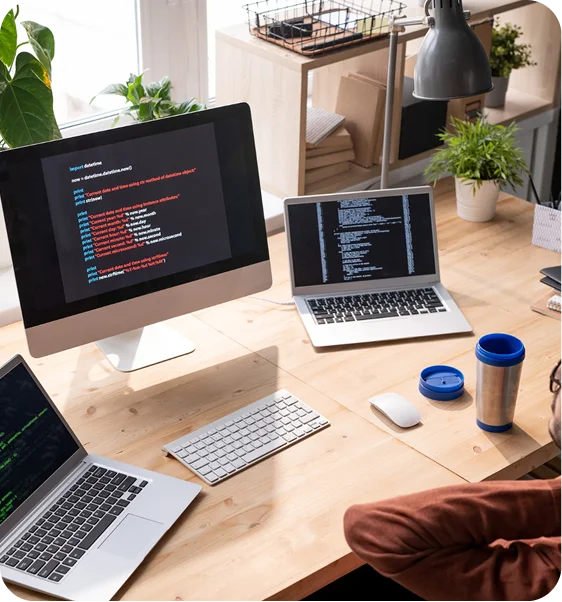
Most WordPress Sites Look the Same. Yours Doesn't Have To.
“Seamless” gets thrown around by every web design agency. Few actually deliver it.
A genuinely seamless brand experience means your site feels like a natural extension of your business — it reflects your values, speaks to your customers, and makes the path from discovery to purchase feel effortless.
Most WordPress sites, though, are pre-made themes with a few colors and a logo swapped in. They look like everything else online and communicate nothing unique about the business behind them — templates, not tailored experiences.
Custom WordPress development means building the site around your business, your customers, and your goals specifically: unique design, functionality that matches your actual requirements, and a user experience built around how your customers really behave. That doesn’t mean everything gets built from scratch — smart custom development combines the right custom code with the right existing tools. The goal isn’t to be different for its own sake. It’s to be effective.
Where Shopify Works Really Well
Shopify is particularly strong when you want to get an e-commerce business up and running without building the entire infrastructure yourself.
You don’t have to manage your own hosting environment or spend your time dealing with server maintenance. Shopify takes care of much of the underlying infrastructure, while you focus on products, customers, marketing, and sales.
Its large app ecosystem also makes it possible to add functionality without building everything from scratch.
For many businesses, that’s exactly what they need.
Where Shopify Starts to Feel Restrictive
The problems usually appear when your requirements become more complicated.
Shopify uses Liquid for theme development, and although Liquid gives developers plenty of flexibility, you’re still working within Shopify’s ecosystem and technical limitations.
You can often solve missing functionality with an app, but that creates another problem: your store can quickly become dependent on multiple third-party apps.
More apps can mean:
- Higher monthly costs
- More complicated maintenance
- Potential performance problems
- Compatibility issues
- More things that can break when your store changes
There are also platform and transaction costs to consider. A Shopify store that looks inexpensive when you’re starting out can become considerably more expensive once you’re paying for multiple apps, development work, and other services.
None of this makes Shopify a bad platform.
It simply means you should choose Shopify based on your business requirements rather than assuming it is automatically the best option.
That’s where we come in.

Our Shopify Development Services
We don’t believe every Shopify project needs the same solution.
A small product catalog doesn’t need the same architecture as a large enterprise store. A new brand doesn’t need the same setup as an established business migrating from another platform.
We start by understanding what you’re trying to accomplish and then build around those requirements.
Why WordPress, Specifically
There are plenty of website builders out there — some easier to use, some cheaper upfront. Here’s what WordPress offers that most of them don’t:
Control
You own your site completely — your content, your data, your hosting choice. You can move it or export it whenever you want. Nothing holds your business hostage.
Flexibility
WordPress scales from a small business site to an enterprise-level operation, and it adapts to your needs rather than forcing you to adapt to it. The tradeoff is that with this many options, it’s easy to get overwhelmed — trying different themes and plugins without knowing if you’re making the right call, or ending up with something that looks fine but loads slowly. A good WordPress developer’s job is knowing which features actually matter for your business and which are just noise.
Ecosystem
Thousands of themes, tens of thousands of plugins, and a global community of developers behind them. If you need a feature, someone has probably already built it — and if you need something custom, there’s no shortage of developers who can build it, so you’re never dependent on a single company for support.
Cost
WordPress itself is free. Your costs come from hosting, themes, plugins, and development work, which means you can start lean and invest more as the business grows.
Long-term value
A well-built WordPress site isn’t disposable — it’s a long-term asset that can serve your business for years and grow alongside it.
Content Management That Doesn't Require a Developer
One of WordPress’s biggest advantages shows up after launch: how easy it is to manage content once the site is built. The admin interface is intuitive — adding pages, products, blog posts, or portfolio items is straightforward, without touching code or calling a developer.
That matters more than most business owners realize. If updating your site requires a developer every time, you won’t update it often — and outdated content looks unprofessional and hurts your search rankings. But ease of use depends on how the site was built in the first place: a poorly structured WordPress site with a cluttered admin area isn’t actually easy to manage. Custom post types, fields, and settings need to be organized logically for the people who’ll actually use them day to day. That’s a build decision, not a WordPress feature you get automatically.

The Plugin Trap (and How to Avoid It)
Plugins are what make WordPress flexible — they add functionality from contact forms to e-commerce to SEO tools to security. The WordPress plugin directory has over 60,000 free options, with thousands more available as premium products.
That abundance is also where WordPress sites go wrong. Too many plugins slow a site down. Poorly coded ones introduce security vulnerabilities. Incompatible ones break the site outright, and outdated ones become security risks over time.
The secret isn’t installing more plugins — it’s choosing the right ones and maintaining them carefully. A lean, well-chosen set of high-quality plugins will always outperform a large collection of mediocre ones.
Built for Search, Not Retrofitted for It
WordPress has a reputation for being SEO-friendly, and it’s earned — but it isn’t automatic. The platform handles technical SEO basics well: clean code structure, an organized content hierarchy, and support for standard SEO plugins like Yoast or Rank Math. None of that matters if the site itself is bloated, poorly structured, slow to load, or thin on actual content — a fast platform built on a slow theme still ranks like a slow site.
Getting SEO right on WordPress means it’s built in from day one, not patched in after launch — fixing SEO problems after the fact is slower, costlier, and often means redoing work that should have been done correctly the first time.
In practice, that means:
- Clean, semantic code search engines can actually read
- A logical content structure with proper heading hierarchy
- Fast loading times through real optimization, not a plugin bandage
- Mobile responsiveness by default
- SEO-friendly URL structures and metadata
- Structured data (schema markup) where it’s useful
- Content built around what your customers are actually searching for, with search-friendly internal linking and clean redirects when content changes
If your current site needs more than the essentials fixed, that’s technical SEO or e-commerce SEO work rather than a rebuild — worth knowing before you assume a new site is the only fix.
A Platform Backed by More Than One Company
With over 40% of the web running on WordPress, the ecosystem behind it is enormous: common problems are well-documented, security issues get identified and patched quickly, integrations with other tools are well established, and finding a skilled WordPress developer isn’t hard. Practically, that means your site isn’t dependent on any single vendor staying in business — if one developer isn’t available, plenty of others can pick up where they left off.
Let's Talk About Your WordPress Site
Whether you’re starting from scratch, migrating from another platform, or fixing up an existing WordPress build, Raw Code Tech builds sites that are fast, functional, and focused on results — including WordPress development, general web development, UI/UX design, and custom web development for anything that needs more than a standard build.
Frequently Asked Questions
It gives you full control over your content and data, the flexibility to build almost any type of site, a vast ecosystem of themes and plugins to draw on, and long-term value — you own the site outright and can take it anywhere.
Yes. WooCommerce, the most widely used e-commerce platform in the world, runs on WordPress and handles everything from a small storefront to large-scale operations with thousands of products.
No — you can manage content, add products, and make everyday updates without touching code. Building a custom WordPress site from the ground up, though, typically requires development expertise.
The core software is secure; the risk is almost always in how a site is built and maintained. Good hosting, quality themes and plugins, regular updates, and basic security practices are what actually keep a WordPress site safe.
Yes, when it's built with responsive design — which is how we build every site by default. WordPress supports mobile-friendly design, but the specific theme and implementation are what determine the real mobile experience.
Yes. Migration moves your content, products, customers, and data from your current platform to WordPress, and with proper planning it can happen with minimal downtime.
WordPress.com is a hosted service where WordPress runs your site for you. WordPress.org is the self-hosted version, where you have full control over hosting, plugins, and customization. For most businesses, self-hosted WordPress.org is the better choice — it's what we build on.
A straightforward site typically takes 4–6 weeks. A complex custom build with e-commerce and integrations usually runs 8–16 weeks.
Yes — updates, backups, security monitoring, and performance checks.
Yes — WordPress scales to massive sites with thousands of pages, products, or posts. The determining factor at that scale is hosting and optimization, not the platform itself.
Let's Build Your WordPress Site
Your website should work for your business — attracting visitors, converting them into customers, and helping you grow. Raw Code Tech builds WordPress sites that deliver on that.